QuickBooks Payroll
QuickBooks Payroll Error 2002: Causes, Fixes & Advanced Solutions

QuickBooks & Quicken support guides
QuickBooks Payroll Error 2002 can interrupt payroll tasks when QuickBooks has trouble communicating with the payroll service. The message can have more than one cause, so it is best to work through the basic checks first and then move to firewall, network, and repair steps.
What Is QuickBooks Payroll Error 2002?
QuickBooks Payroll Error 2002 is a payroll-related connection error that may appear when QuickBooks Desktop cannot communicate properly with the payroll service. Depending on the setup, you may notice it while updating payroll, sending payroll information, or completing another payroll task.
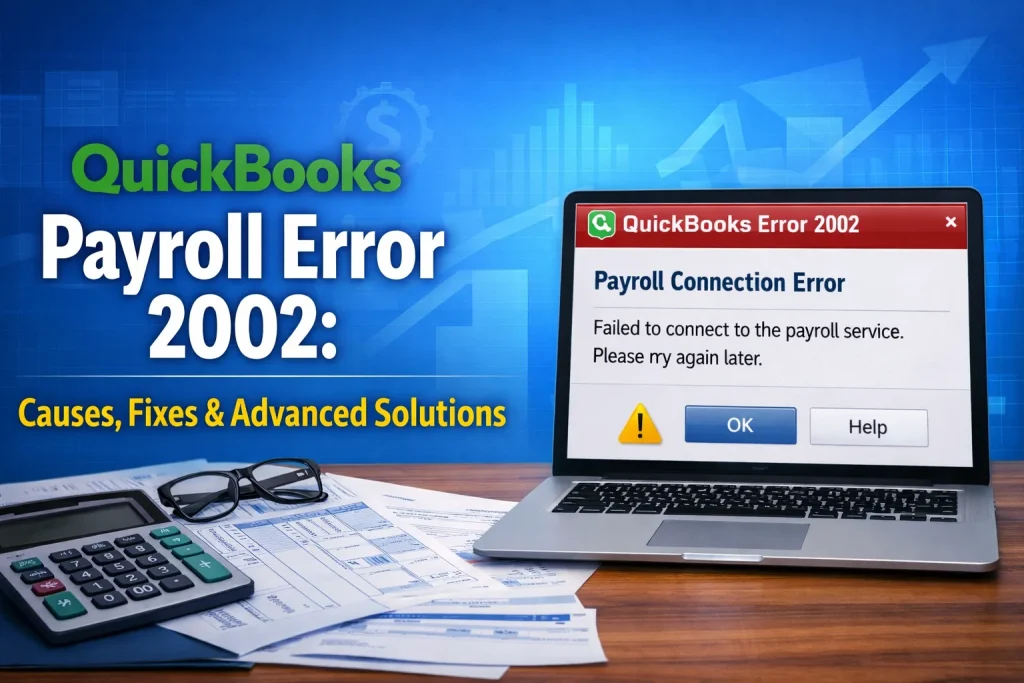
Common Error Messages
The exact wording can vary, but the problem generally points to a failure to complete a payroll connection or update. If the message includes another error number or instruction, keep a note of it because it can help narrow down the cause.
Symptoms of QuickBooks Payroll Error 2002
- Payroll updates do not complete.
- QuickBooks shows an error while connecting to payroll services.
- Payroll information takes unusually long to load or process.
- A payroll task stops before it finishes.
What Causes QuickBooks Payroll Error 2002?
Several things can contribute to the problem. Common possibilities include an incorrect Windows date or time, an outdated payroll tax table, an unstable internet connection, firewall restrictions, security software, network settings, or a damaged QuickBooks installation.
How to Fix QuickBooks Error 2002 (Step-by-Step)
Try the following solutions in order. After each major change, reopen QuickBooks and test the payroll task again. This helps identify which setting was causing the problem.
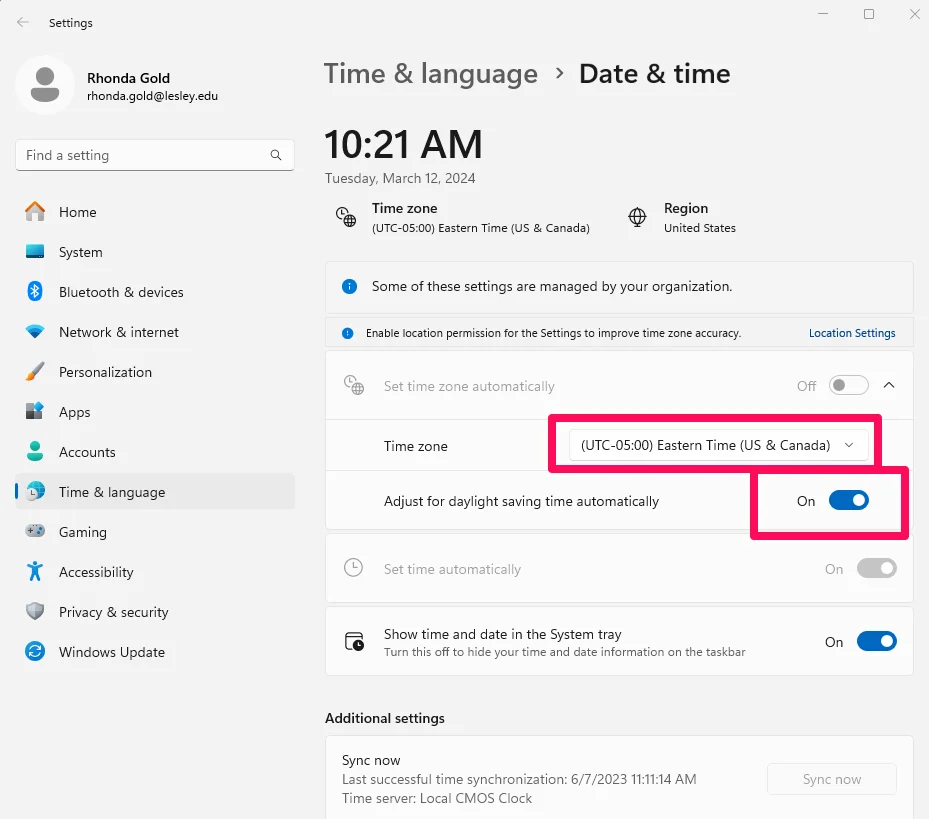
Solution 1: Fix Date and Time Settings
Incorrect Windows date or time settings can interfere with secure connections. Make sure the computer is using the correct date, time, and time zone.
- Right-click the Windows clock and open date and time settings.
- Confirm the correct time zone.
- Turn on automatic time or synchronize the clock.
- Restart QuickBooks and try the payroll task again.
Solution 2: Update the Payroll Tax Table
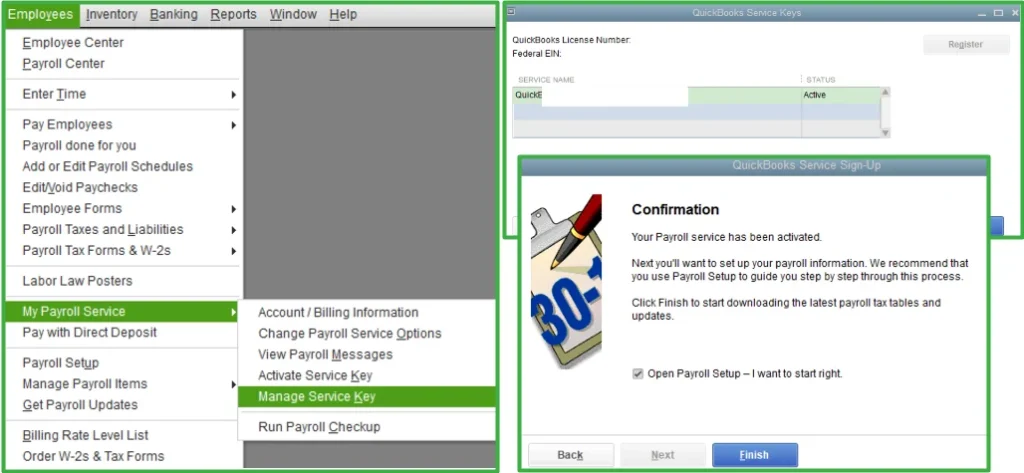
An outdated payroll tax table can cause payroll operations to fail. Update QuickBooks and the payroll tax table using the options available in your version.
- Open QuickBooks and sign in to the company file.
- Open the Employees or Payroll menu.
- Choose the payroll update option.
- Download the latest available payroll update and run the payroll task again.
Solution 3: Restart Your System
Restart Windows and then open QuickBooks again. A restart can clear a temporary network or application state without changing your company file or configuration.
- Close QuickBooks and other open applications.
- Restart the computer.
- Reconnect to the internet or company network.
- Open QuickBooks and test payroll again.
Solution 4: Configure Windows Firewall
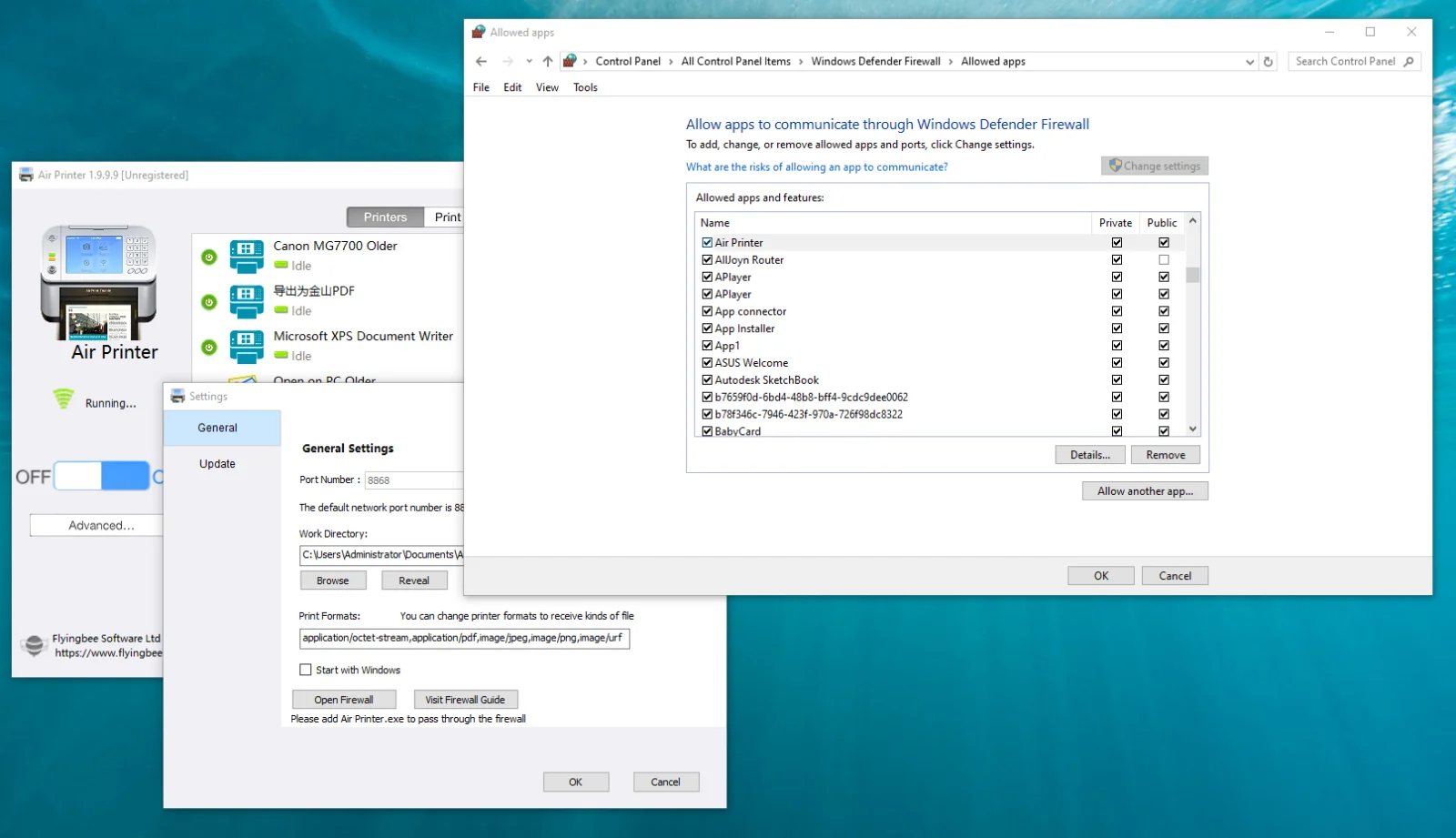
Windows Firewall or another security product may block QuickBooks from reaching the services it needs. Review the firewall configuration and make sure QuickBooks is allowed to communicate.
- Open Windows Security or Windows Firewall settings.
- Review allowed apps.
- Allow QuickBooks through the firewall when appropriate.
- Save the changes and test payroll again.
Related post: How to Fix QuickBooks Payroll Update Error 15270
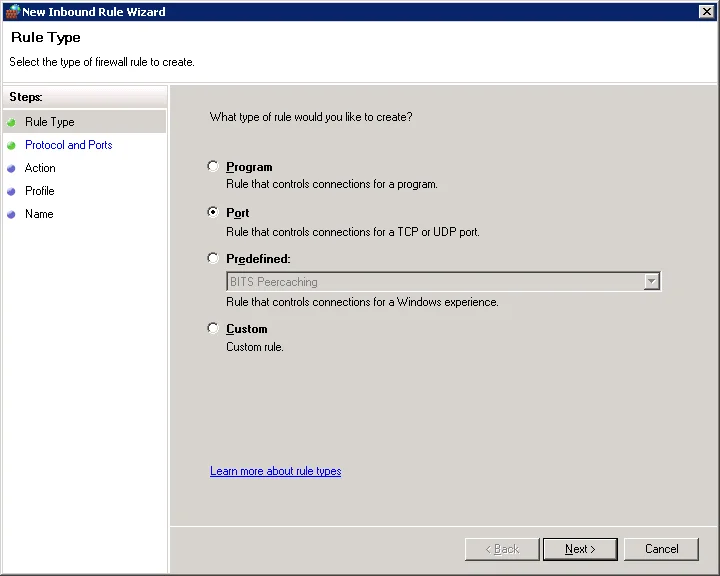
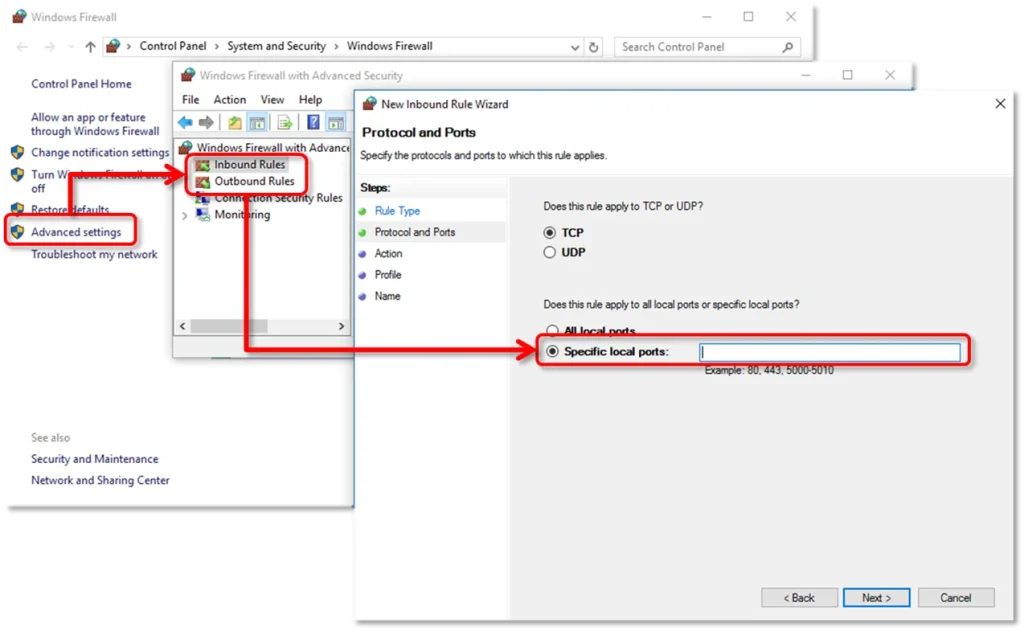
Solution 5: Add QuickBooks as a Firewall Exception
If allowing the application is not enough, review the firewall rules and exceptions used by your QuickBooks version. The exact files and ports can differ by version, so use the current QuickBooks documentation for your installation when adding rules.
Solution 6: Check Internet & SSL Settings
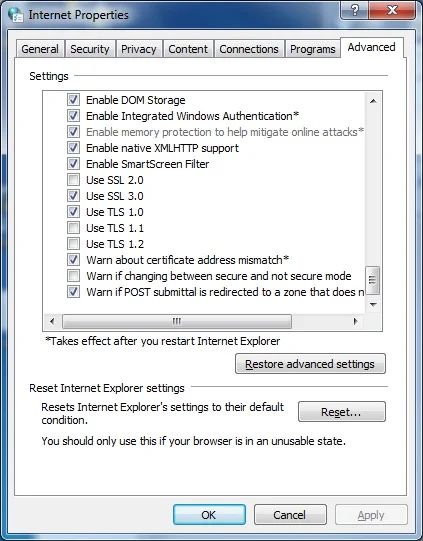
QuickBooks may rely on secure internet settings to communicate with its services. Check the computer's internet settings and make sure current security protocols are enabled.
- Open Internet Options in Windows.
- Review the connection and advanced security settings.
- Make sure current TLS settings are enabled.
- Apply the changes, restart QuickBooks, and test again.
Solution 7: Use QuickBooks Tool Hub
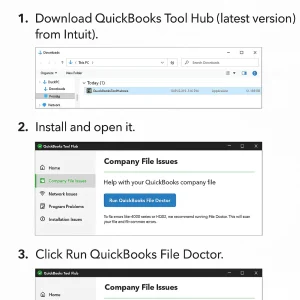
QuickBooks Tool Hub provides troubleshooting utilities for several common QuickBooks problems. Install or open the appropriate tool and run the diagnostic that matches the problem you are experiencing.
- Open QuickBooks Tool Hub.
- Choose the relevant troubleshooting area.
- Run the recommended diagnostic tool.
- Restart QuickBooks and test payroll again.
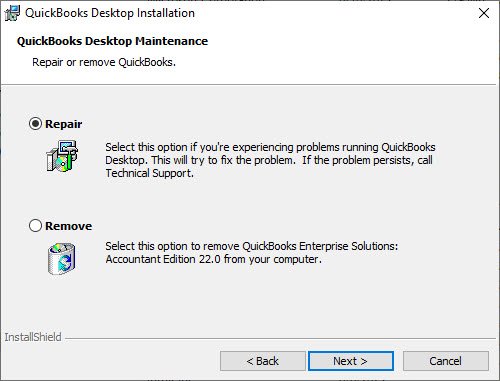
Solution 8: Repair QuickBooks Installation
If the application files are damaged or a component did not install correctly, repairing QuickBooks can help. Close QuickBooks first and use Windows installed-app or Control Panel repair options for your version.
- Close QuickBooks.
- Open Windows Apps or Control Panel.
- Select QuickBooks and choose the repair or change option.
- Complete the repair and restart Windows.
- Open QuickBooks and test the payroll task.
Solution 9: Install a New Security Certificate
If secure communication is failing because of a certificate problem, check Windows and QuickBooks for current security updates and certificates. Avoid downloading certificates from unknown websites. Install Windows updates and use the official QuickBooks update or repair process first.
Pro Fix: When the Basic Steps Do Not Work
If Error 2002 continues after the steps above, document the exact error message, QuickBooks version, Windows version, payroll update version, and the point at which the error appears. That information can make advanced troubleshooting much easier.
Before changing advanced firewall rules, network settings, or certificates, create a reliable backup of the company file and keep a record of the original settings.
How to Prevent QuickBooks Payroll Error 2002
- Keep QuickBooks Desktop and payroll updates current.
- Keep Windows updated.
- Use a stable internet connection for payroll tasks.
- Review firewall permissions after major software or security changes.
- Maintain regular backups of important company files.
Frequently Asked Questions
What is QuickBooks Payroll Error 2002?
It is a payroll-related error that can occur when QuickBooks has trouble communicating with the payroll service or completing a payroll operation.
Why does QuickBooks show Error 2002 during a payroll update?
The cause can include connection problems, incorrect Windows settings, firewall restrictions, outdated payroll components, or damaged application files.
Can firewall settings cause QuickBooks Error 2002?
Yes. Firewall or security software can restrict the network communication QuickBooks needs. Review allowed applications and rules carefully.
Can I fix Error 2002 without reinstalling QuickBooks?
Often, yes. Start with date and time, payroll updates, restarting the system, firewall and internet settings, and QuickBooks diagnostic tools before considering a repair.
Conclusion
QuickBooks Payroll Error 2002 can have several causes, so one fix does not work for every computer. Start with the simple checks, then move through payroll updates, firewall and internet settings, diagnostic tools, and repair options. If the problem remains, keep the exact error details and your QuickBooks version available before moving to advanced troubleshooting.
About RyanFila
RyanFila is an experienced software support professional who has worked with different clients and helped them solve QuickBooks and Quicken problems. Through RyanFila, he shares free troubleshooting tips, practical guides, and useful information for accounting software users.